Instagram Viewer
View public Instagram profiles, read captions, and open photos or videos from a post link.
Paste an Instagram link
Use a public username, profile URL, photo post or Reel.
Start with a username or post link.
A username opens the profile and some of its posts. Paste a specific post or Reel link to read its caption and open its available media.
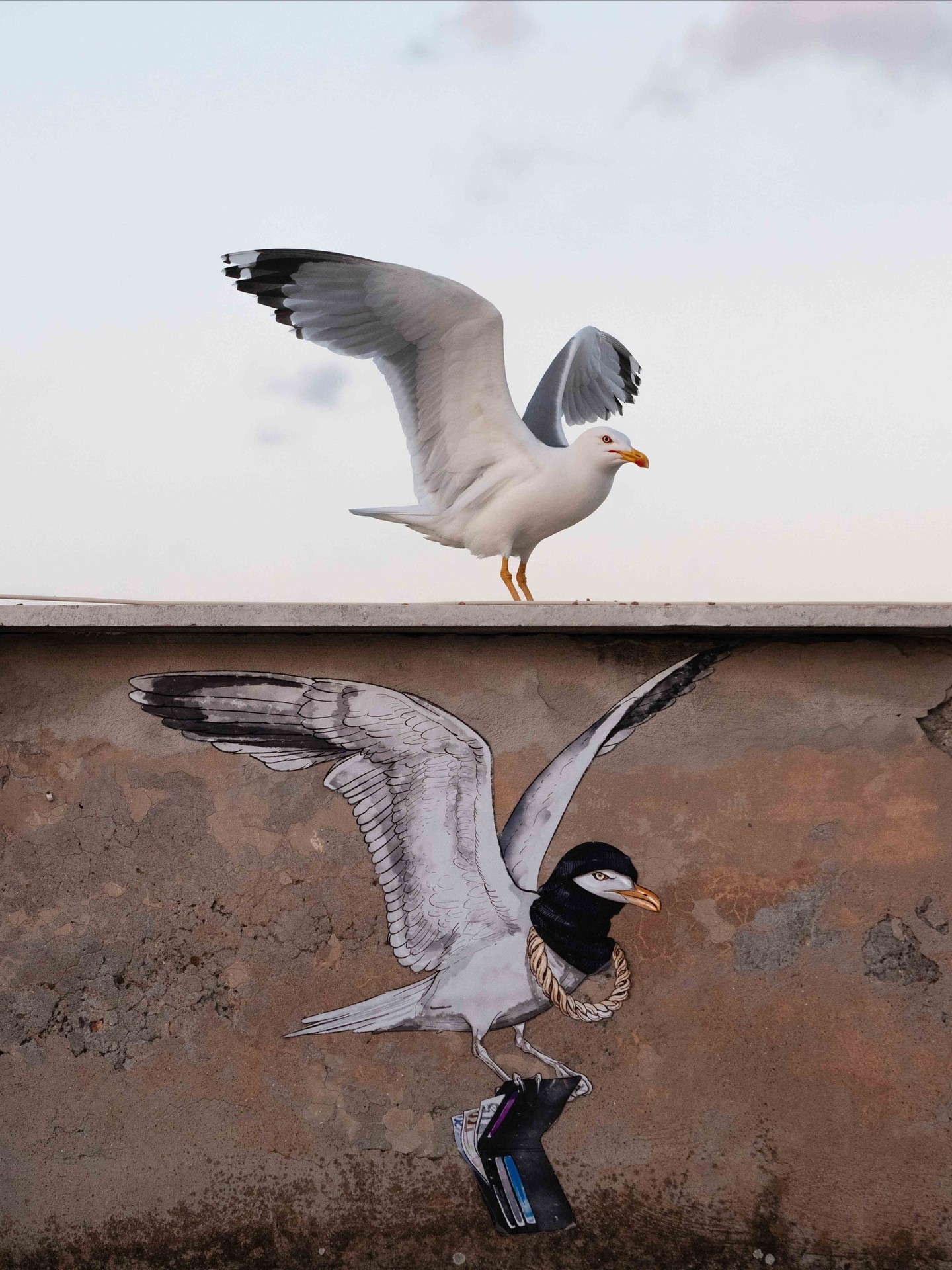
See the photo and caption together
This @natgeo post shows a gull beside its painted counterpart in Rome. The lookup returned the photo and its caption together.
You can open the image on its own and keep the original post link alongside it.
Photo by Gianluca Damiani, published by National Geographic.
- Public profile
@natgeoorinstagram.com/natgeo/
See the name, bio, available counts and up to 12 posts. Each post includes a link back to Instagram.- Photo post or Reel
instagram.com/p/DelZ5g8l8Pr/orinstagram.com/reel/DehZj9wggt0/
Read the caption, see when it was posted, and open the available photos or video.
Why a Reel may show only a photo
The @natgeo profile lookup showed this Reel as a thumbnail, with no date or like count. Looking up the Reel directly returned the video and both details.

| Details | Profile | Reel link |
|---|---|---|
| Posts shown | 11 posts | One Reel |
| Video | Preview image | Video |
| Posted | Not available | |
| Likes | Not available | 49,328 |
Choose Look up this post under the Reel, then View source. You'll only be charged if this new lookup succeeds.
If a lookup fails
Check the message above your result. Even a public post can require an Instagram login.
- Sign-in required or private
- This viewer cannot open private accounts or posts that require an Instagram login. Open the original link in Instagram using your own account.
- Page unavailable
- Check the spelling or copy the original post link again. The post may have been deleted or the account renamed.
- Busy or timed out
- Wait before trying again. If the message says the daily limit has been reached, lookups resume after 00:00 UTC.
- Missing details or media
- You can still read the caption and open the original post. A missing count does not mean zero. For a Reel thumbnail, try the post link itself. If a media link has expired, a new lookup may provide a fresh one. A partial result can still count as a successful lookup.
Failed lookups aren't charged. If your connection drops, try the same input again to recover your request without paying twice. See prices and billing details.
How it works
CarryFeed opens your Instagram link in a remote browser without signing in to Instagram. It shows the profile details, captions and media that Instagram makes available, with a link back to each original post. Comments, follower lists and the full account history are not included.
The browser runs on Cloudflare Browser Run. If Instagram requires sign-in to read a page, the lookup stops.
If a result looks wrong, email contact@carryfeed.com with the post link and the time shown above your result. See our privacy policy for how we handle data.
Common questions
Can I view Instagram without an account?
You don't need an Instagram account. Sign in to CarryFeed and use prepaid lookups or your Tools balance. Some public posts still require an Instagram login; this viewer cannot open those.
Can I view Stories, Highlights or private accounts?
No. Only public profiles, posts and Reels are supported. Stories, Highlights and private accounts cannot be opened here.
Does a profile lookup include every post?
No. You get up to 12 posts from the first page Instagram makes available. There may be fewer, and pinned posts may be included. Dates and counts can be missing. You cannot scroll through the full account history here.
Why does a Reel show a photo instead of a video?
The profile result may include only a thumbnail. Choose “Look up this post”, then select View source to check the Reel itself. It may include the video. This is a separate lookup, charged only if it succeeds.
Can I save the photos or video?
Use Open image or Open video in a single-post result to open its media link. Resolution and download behavior vary, and these links can expire. Keep the original post URL too, and get permission where needed before reusing the media.
How fresh is a result?
Results can be up to five minutes old. The time above the result tells you when it was fetched. Each new successful lookup is charged, even when the result is reused. If a media link has expired, try a new lookup or open the original post. The same media may no longer be available.
What happens if a lookup fails or is interrupted?
Failed lookups aren't charged, and any reserved balance or credit is returned. If the connection drops or payment confirmation is pending, submit the same input again to recover your request without paying twice. A result with missing dates, counts or a video preview can still count as a successful lookup.
Is CarryFeed affiliated with Instagram?
No. CarryFeed is not affiliated with Instagram or National Geographic.